Ecommerce Photo Editing SOP: A Practical System to Reduce Returns Without Over-Editing
Use this practical photo-editing SOP to keep product images premium and accurate at the same time, reducing “not as pictured” returns without sacrificing conversion.
IndustryPublished May 21, 20268 min readBy the Reframe Visuals editors

Better product photos should increase trust, not inflate expectations
Most teams treat image editing as a conversion-only lever. But editing quality also affects return rates. When photos look polished but drift away from product truth, customers feel mismatch at unboxing—and that mismatch becomes a return.
This SOP helps you keep a premium look while protecting visual accuracy.
Scaling catalog editing without adding full-time payroll overhead?
Partner with Reframe Visuals: elastic capacity processing 2,500+ commercial images daily, two-editor QA, and 12h–72h turnaround. Test our studio with 3 free sample edits — zero credit card required.
Why over-editing causes expensive return loops
Over-editing usually starts with good intent: cleaner feeds, brighter images, stronger first impression. The risk appears when enhancement becomes distortion.
Common mismatch triggers:
- Whites pushed so far that ivory reads as pure white
- Fabric texture smoothed until material weight is unclear
- Wrinkles removed in ways that alter fit cues
- Shadows/reflections erased so shape feels flatter than reality
- Finish cues (matte, glossy, metallic, transparent) made inconsistent
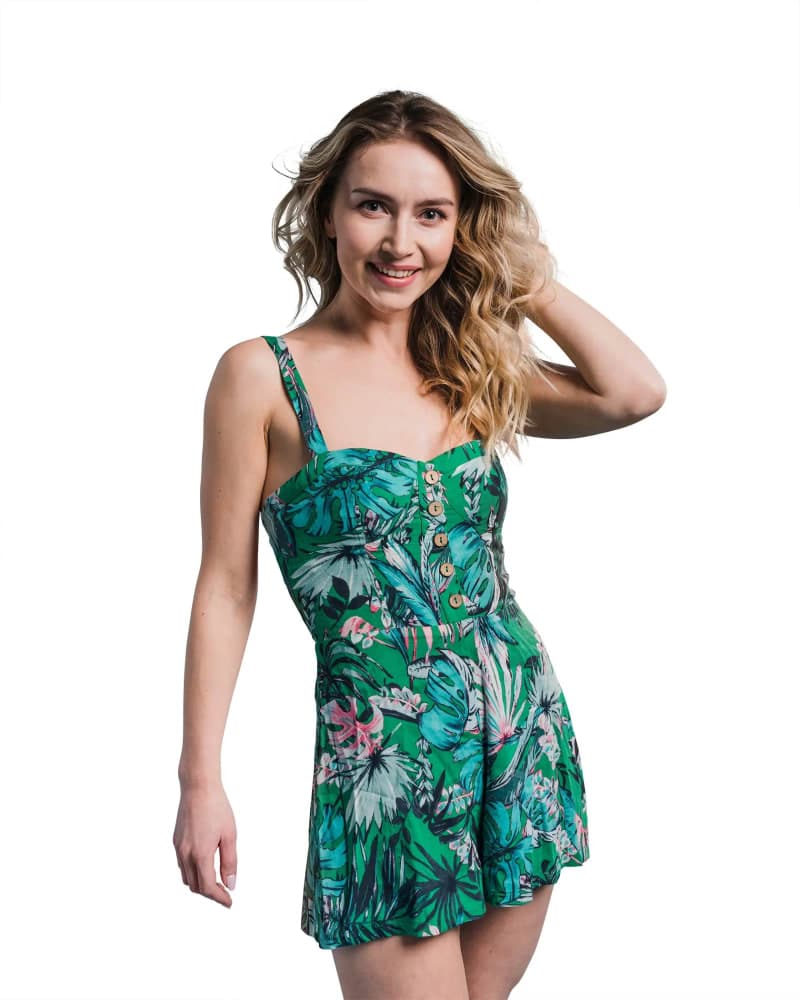

A 5-part SOP for return-aware editing
1) Set non-negotiable “truth standards”
Define fixed standards before any retouching starts:
- Color truth: edited color must match approved sample
- Texture truth: key surface detail remains visible at zoom
- Shape truth: no slimming, stretching, or geometry distortion
- Finish truth: real gloss/matte/metal/transparent behavior preserved
2) Use category-specific tolerances
One style should not be applied to every product type.
- Apparel: very low color-shift tolerance, low texture smoothing
- Beauty: strict shade accuracy across variants
- Home textiles: preserve weave and depth, avoid flattening
- Metallic/glossy goods: controlled reflection cleanup, no fake shine
3) Add a returns-risk QA pass before publish
Use a dedicated checklist (not only visual polish):
- Does hero color match the approved physical sample?
- Is texture still visible at PDP zoom level?
- Are depth cues still natural?
- Did edits change fit/fall cues?
- Were only capture artifacts removed (not product truth)?
- Do swatches and hero tones still align?
- Would a first-time buyer say: “This is what arrived”?
4) Build a calibration board
For each major category, keep three examples:
- Acceptable edit
- Too raw
- Over-edited
This speeds up alignment across in-house editors and external vendors.
5) Track outcomes monthly
Measure visual quality as an operations metric:
- Return rate by category
- Returns tagged “not as pictured”
- PDP conversion after image refreshes
- Support tickets mentioning color/appearance mismatch
Target outcome: “not as pictured” down, conversion stable or up.
30-day rollout plan
Week 1: Audit
Review 50 SKUs across top categories and flag mismatch risks.
Week 2: SOP setup
Finalize standards, tolerances, and QA checklist.
Week 3: Pilot
Run one category through the SOP and enforce returns-risk QA.
Week 4: Measure and tune
Compare conversion and return reasons, then refine tolerances.
Get an exact price for your images.
Tell us your volume and the edits you need. We reply with a price, and you can send sample images to make it exact.
Questions answered
5 questions
Professional retouching improves clarity and consistency while preserving product truth. Over-editing alters cues that change buyer expectations.
Yes. Premium presentation comes from consistency, lighting quality, and clean composition—not unrealistic color or texture edits.
Apparel, beauty shades, home textiles, and finish-sensitive goods (metallic, glossy, transparent).
Yes for capture artifacts (dust, lint, temporary marks). No for real product traits customers should expect.
A return-aware editing SOP lets your team do both jobs well: improve conversion and reduce expectation mismatch. Premium visuals and honest visuals are not opposites—when your standards are clear, they reinforce each other. If you want help operationalizing this, start with one category and implement the checklist exactly as written for 30 days.
No matching questions
Try a shorter keyword, or choose another category.