JPEG, PNG, TIFF, PSD, WebP: The File Format Decision Tree That Saves Bandwidth and Quality
Every format makes a tradeoff between visual fidelity and load speed. Choose the optimal image file formats across your entire store.
IndustryPublished March 24, 20269 min readBy the Reframe Visuals editors
The Invisible Tax on Every Page Load
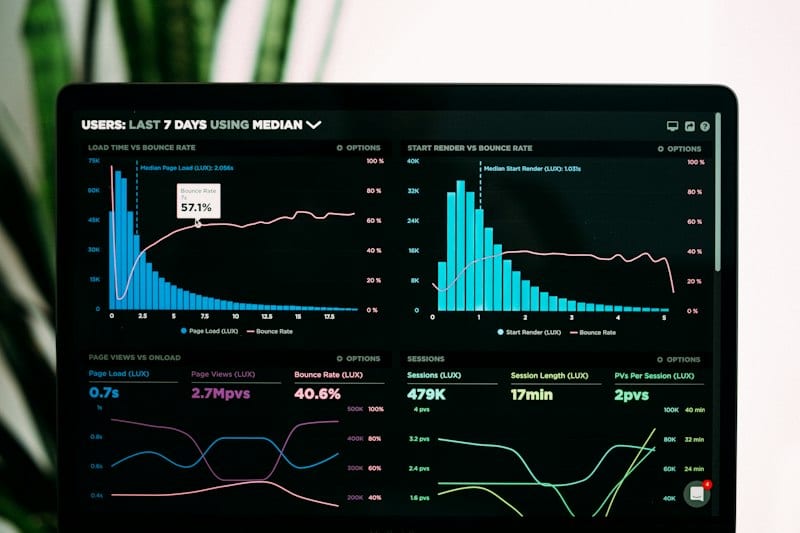
A product image that takes 3 seconds to load on a mobile connection has already lost you 40% of potential customers. Google's own research shows that 53% of mobile users abandon a site that takes longer than 3 seconds to load. And product images are typically the heaviest assets on any eCommerce page.
Scaling catalog editing without adding full-time payroll overhead?
Partner with Reframe Visuals: elastic capacity processing 2,500+ commercial images daily, two-editor QA, and 12h–72h turnaround. Test our studio with 3 free sample edits — zero credit card required.
But blindly compressing everything to minimize file size is equally dangerous. A heavily compressed JPEG turns fine fabric texture into a muddy watercolor. A poorly exported PNG creates a 15MB file where a 200KB WebP would have been identical to the eye.
The solution isn't "compress everything." It's choosing the right format for every use case.
The Format Landscape in 2026
JPEG (Joint Photographic Experts Group)
Best for: Final delivery of product images on web, social media, marketplaces
- Compression: Lossy (data is permanently removed)
- Channels: RGB only (no transparency)
- Max Quality Sweet Spot: 80-85% quality = best balance of size and fidelity
- Weakness: Compression artifacts on sharp edges and text
JPEG remains the workhorse of eCommerce. At 80% quality, a typical product image is 150-300KB-fast to load and visually indistinguishable from the original for 95% of customers.
PNG (Portable Network Graphics)
Best for: Images requiring transparency (logos on colored backgrounds, product cutouts for compositing)
- Compression: Lossless (no data lost)
- Channels: RGBA (supports transparency)
- Weakness: File sizes 3-10x larger than equivalent JPEG
After professional Background Removal, we often deliver PNG files when the client needs transparent backgrounds for dynamic web layouts, marketing collateral, or social media overlays.
WebP (Google's Next-Gen Format)
Best for: Modern web delivery-the replacement for both JPEG and PNG
- Compression: Both lossy and lossless modes
- Channels: RGBA (supports transparency in lossy mode)
- Advantage: 25-35% smaller file sizes than JPEG at equivalent visual quality
- Weakness: Older browsers (pre-2020) lack support
WebP is the future of product imagery on the web. At Reframe, we now recommend WebP as the primary delivery format for all storefront and custom eCommerce stores.
TIFF (Tagged Image File Format)
Best for: Archival masters, print production, inter-agency file transfer
- Compression: Lossless (LZW) or uncompressed
- Channels: RGBA, CMYK, Lab
- Advantage: Preserves absolute maximum quality; supports Clipping Path embedding
- Weakness: Massive file sizes (50-200MB per image)
TIFF is the "source of truth" format. When we perform professional retouching, the master file is always TIFF. We embed clipping paths directly into the file, allowing your designers to extract the product on any background.
PSD (Photoshop Document)
Best for: Layered working files with full editing history
- Advantage: Preserves layers, masks, Smart Objects, adjustment layers
- Weakness: Proprietary, very large files, not for web delivery
PSD files are the "behind the scenes" format. When clients need full editability-the ability to change backgrounds, adjust colors, or modify masks-we deliver layered PSDs.
| Format | Transparency | Compression | Typical Size | Best Use |
|---|---|---|---|---|
| JPEG | No | Lossy | 150-300KB | Web, marketplace, social |
| PNG | Yes | Lossless | 500KB-5MB | Transparent cutouts |
| WebP | Yes | Both | 100-200KB | Modern web (recommended) |
| TIFF | Yes | Lossless | 50-200MB | Print, archival master |
| PSD | Yes | Lossless | 200MB-2GB | Editable working file |

The Delivery Matrix
Smart brands don't deliver one format-they maintain a Delivery Matrix that serves different formats to different channels:
- Archival Master: TIFF with embedded paths (stored on your DAM)
- Web Primary: WebP at 80% quality (served via CDN)
- Web Fallback: JPEG at 82% quality (for legacy browsers)
- Social Media: JPEG at 90% quality, platform-specific dimensions
- Print/Catalog: TIFF at full resolution, CMYK color space
- Design Team: PSD with full layers
Our Color Correction pipeline delivers all required formats from a single master edit. The color science is performed once, at maximum quality, then exported to each format with appropriate optimization.
The Compression Audit
Before going live with any product image, run the Compression Audit:
- Open the image at 100% zoom on a calibrated monitor.
- Look at areas of fine detail: fabric texture, text on labels, hair strands.
- If you see "mosquito noise" (fuzzy artifacts around edges), the compression is too aggressive.
- If the file is over 500KB for a single product image at web resolution, the compression is too light.
The sweet spot is always a judgment call that balances your site's performance requirements with the visual standards your brand demands.
- For Speed: WebP at 80% quality. Period.
- For Quality: TIFF masters, WebP delivery.
- For Flexibility: PSD working files, multi-format export.
Every kilobyte matters. Every pixel matters. The right format respects both.
Get an exact price for your images.
Tell us your volume and the edits you need. We reply with a price, and you can send sample images to make it exact.