Clipping Path vs Image Masking: The Complete Comparison for Commercial Visuals
Clipping path uses hard-edged vector bezier curves for solid objects, while image masking uses soft alpha channels for hair, fur, and glass. Here is how to choose between them, when to combine both, and what each costs.
TechniquesPublished October 30, 2026Updated October 30, 20268 min readBy the Reframe Visuals editors
Key takeaways
- Clipping paths use vector Pen Tool bezier curves for hard-edged products (watches, shoes, electronics); image masking uses raster alpha channels for soft edges (hair, fur, glass, lace).
- Using a clipping path on hair creates an artificial, helmet-like cutout; using image masking on hard edges wastes production budget and risks blurry borders.
- Clipping paths deliver reusable vector 'Path 1' in PSD or TIFF files; image masking delivers editable 8-bit or 16-bit alpha layer masks or transparent 32-bit PNGs.
- Turnaround is 12h–72h chosen at checkout, and both techniques can be combined on a single complex subject.
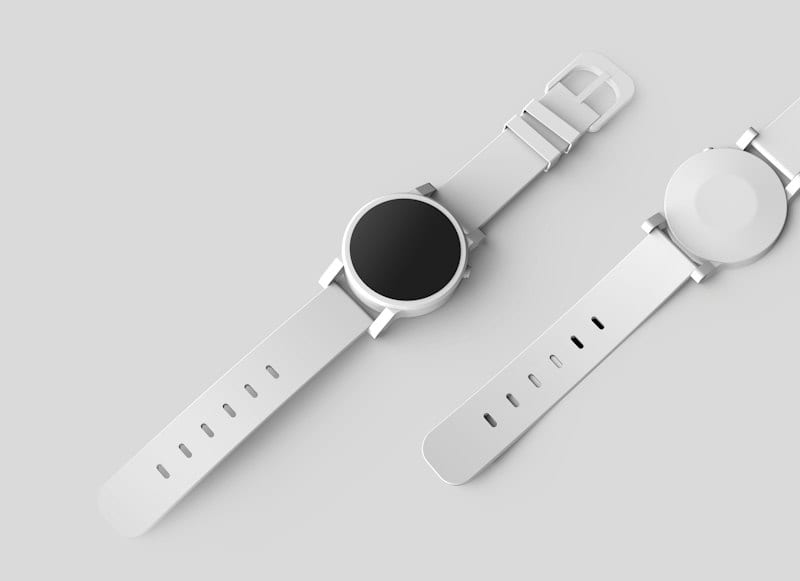
When you need to remove the background from a commercial photograph, two primary techniques dominate professional studio production: Clipping Path and Image Masking. While both techniques isolate a subject from its surroundings, using the wrong method creates either jagged, helmet-like cutouts or needlessly inflates your production budget.
A clipping path uses mathematical vector bezier curves to carve razor-sharp outlines around solid objects. Image masking uses pixel-level transparency channels (alpha masks) to preserve fine, soft, and translucent details such as flyaway hair, fur, sheer fabric, and glass.
Understanding the difference between clipping path and image masking is essential for ecommerce managers, art directors, and studio photographers who require clean product cutouts that convert shoppers without sacrificing visual fidelity.
The Core Technical Difference: Vector Curves vs. Alpha Channels
The fundamental distinction between clipping paths and image masking lies in how edge data is calculated and stored.
A clipping path is a vector boundary drawn manually with Adobe Photoshop's Pen Tool. It consists of anchor points connected by bezier curve handles. Because it is vector geometry, it does not depend on pixel resolution. The boundary is binary: any pixel inside the closed vector loop is 100% visible, and any pixel outside is 100% excluded. This produces an immaculate, razor-sharp edge with zero feathering—ideal for smooth, hard manufactured goods.
An image masking operation is a raster pixel-level technique. Instead of drawing a solid outline, the retoucher creates an alpha channel mask based on color contrast, luminosity, and manual brush refinement. Alpha channels evaluate every edge pixel on an 8-bit scale from 0 (pure black, 100% transparent) to 255 (pure white, 100% opaque). Gray values between 1 and 254 represent varying degrees of semi-transparency. This allows individual hair strands, animal fur, lace netting, and translucent glassware reflections to blend naturally into any new background.
| Feature | Clipping Path | Image Masking |
|---|---|---|
| Underlying Technology | Vector bezier curves (Photoshop Pen Tool) | Raster alpha channels & luminosity masks |
| Edge Characteristic | 100% sharp, hard, binary vector contour | Soft, feathered, translucent, multi-opacity |
| Best Suited For | Solid products: shoes, watches, furniture, tech | Organic details: model hair, fur, glass, lace |
| Scalability | Infinitely scalable vector path | Resolution-dependent on source photo pixels |
| Saved File Output | Embedded 'Path 1' in PSD/TIFF | Layered mask in PSD or 32-bit transparent PNG |
| Starting Cost | From $0.39 per image | From $0.39 to $2.99 per image |
When to Use a Clipping Path (Hard-Edged Subjects)
A clipping path is the industry standard for product categories with defined, rigid contours. In high-volume ecommerce catalogs, over 70% of standard products are best isolated using a Pen Tool clipping path.
Choose a clipping path for:
- Footwear & Leather Goods: Sneakers, boots, dress shoes, and handbags with smooth leather or synthetic edges.
- Watches & Jewelry: Polished watch bezels, metal bands, bangles, and gemstone settings where lines must be razor-sharp.
- Consumer Electronics & Hardware: Smartphones, laptops, headphones, tools, and appliances with straight lines and precise manufactured radii.
- Furniture & Home Decor: Chairs, tables, kitchenware, ceramics, and boxed consumer packaged goods (CPG).
- Apparel on Hangers or Mannequins: Structured jackets, folded denim, and flat lays with clean seam outlines.
The greatest operational advantage of a clipping path is vector reusability. Because the vector outline is saved inside the file as an active Photoshop path ('Path 1'), graphic designers can reopen the asset years later in Adobe InDesign or Illustrator, alter the curve handles, scale the product for billboard print, or generate drop shadows without losing edge clarity.
When Image Masking Is Mandatory (Soft, Translucent & Organic Edges)
Using a clipping path on a subject with soft or organic edges is one of the most common mistakes in amateur product photography. When a hard vector Pen Tool tries to trace around human hair or an animal's coat, it chops off delicate strands, turning natural hair into an unnatural plastic helmet.
Image masking is mandatory whenever the subject's boundary contains fine detail, semi-transparency, or complex transparency voids:
- Model & Portrait Photography: Female and male models with loose, curly, textured, or flyaway hair strands.
- Pet Products & Animal Photography: Dogs, cats, and plush toys with fine fur textures that require soft strand separation.
- Sheer & Woven Apparel: Bridal gowns, lace lingerie, tulle skirts, mesh sportswear, and silk scarves where the background peeks through tiny fabric openings.
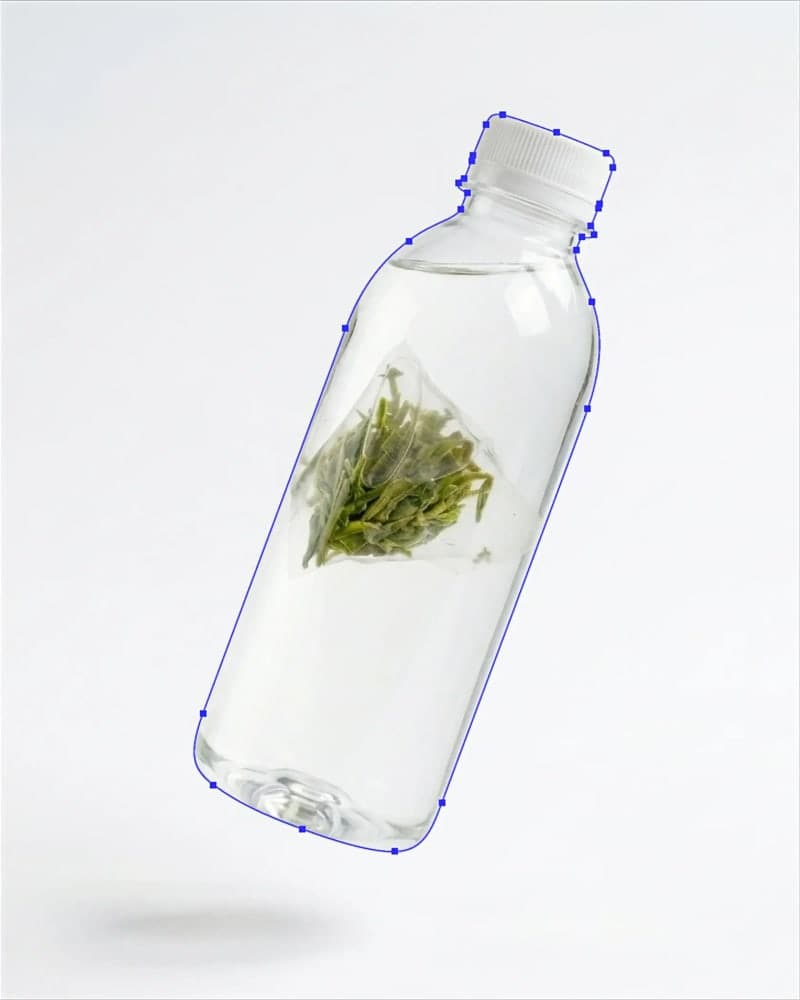
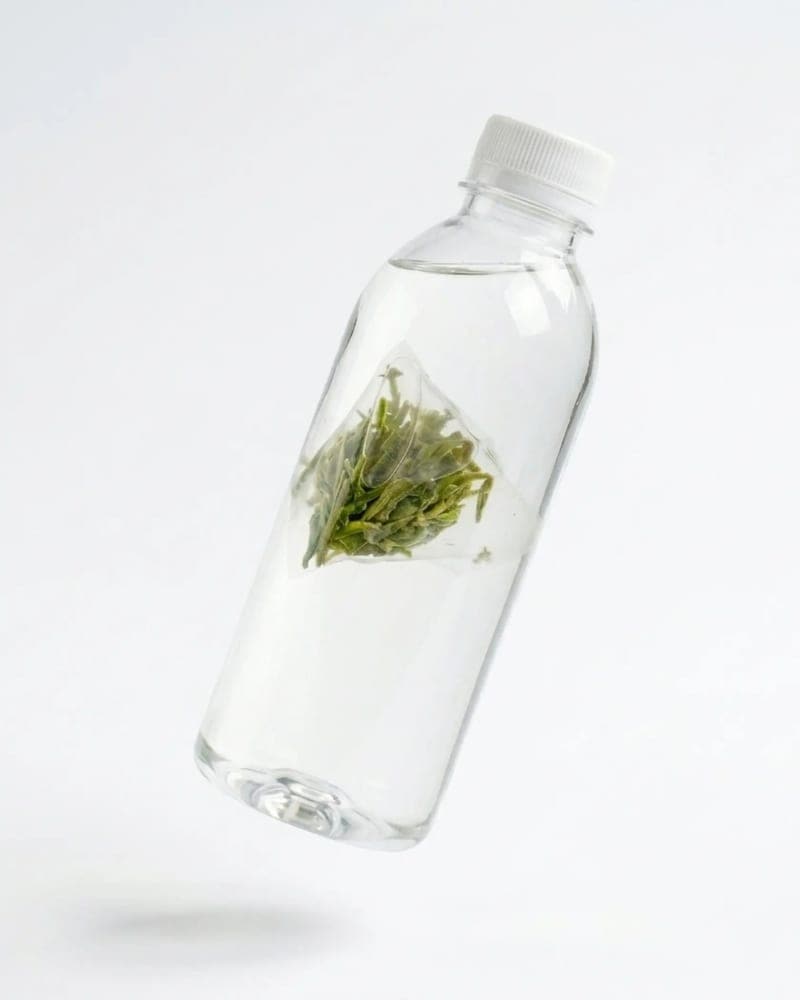
- Glassware & Perfume Bottles: Transparent wine glasses, fragrance bottles, sunglasses, and acrylic packaging where reflections and internal refraction must remain partially see-through.
- Smoke, Mist & Liquid Splashes: Cosmetics splashes, beverage droplets, steam, and atmosphere elements.
In professional image masking, senior retouchers isolate color channels (red, green, blue) to identify the channel with the highest contrast between the subject and the backdrop. They then apply curves, calculations, and custom brushwork to separate individual strands without clipping away fine highlights.
The Hybrid Workflow: Combining Paths and Masks in Commercial Fashion
In commercial apparel and lifestyle photography, products rarely fit neatly into a single category. A fashion catalog image often features a model wearing a structured tailored blazer, smooth leather boots, and delicate lace sleeves, topped with flowing, wind-blown hair.
Treating the entire image with a clipping path ruins the hair; treating the entire image with masking softens the razor-sharp lapels of the blazer.
The professional studio solution is a hybrid clipping workflow:
- The Vector Pass: An editor traces the smooth outer perimeter of the boots, blazer, trousers, and jewelry using the Photoshop Pen Tool. This ensures crisp, clean edges on all manufactured surfaces.
- The Alpha Mask Pass: A second masking layer is applied exclusively to the model's hair, fur trim, and lace cuffs. The fine strands are extracted with sub-pixel alpha channels.
- Color De-Contamination: When photos are shot against studio green or gray backdrops, ambient light bounces onto edge hair strands (color spill). Retouchers neutralize the reflected color cast so the subject blends seamlessly on digital pure white (RGB 255, 255, 255).
- Integration: The vector path and alpha mask are merged into a master layered PSD file, giving creative directors full control over background color, shadow depth, and marketing compositing.
Need enterprise catalog throughput?
Explore our Clipping Path Service (from $0.39) and Image Masking Service (from $0.39), or view the full head-to-head comparison matrix with side-by-side specs and turnaround SLAs.
Edge Artifacts and the 200% Zoom Test
How do you determine whether your catalog images were cut out with the right technique? The quickest test is to inspect your product image at 200% zoom against both a pure white background and a neutral medium-gray background:
- The Fringing Halo: If you notice a faint white, gray, or colored perimeter outline around the product on dark backgrounds, the retoucher used a clumsy automated selection tool without proper color decontamination.
- The Stair-Step Effect: If a curved edge looks pixelated or jagged rather than smooth, the cut was made with a raster wand or quick selection tool instead of a vector Pen Tool curve.
- The Helmet Hair Effect: If a model's hairline looks unnaturally sharp, blunt, and rigid, the editor forced a vector clipping path onto soft hair instead of using image masking.
- The Disappearing Glass Trap: If a perfume bottle looks completely opaque or completely vanishes on a new background, the cut failed to preserve the glass reflection's alpha transparency.
At Reframe Visuals, every single image undergoes our standardized two-editor QA review: one specialist retoucher creates the path or mask, and a senior quality controller inspects edge alignment, color profiles, and Amazon pure white values before release.
Deliverables & File Formats: What Goes to Production
Depending on which technique is applied, your design team receives specific file structures:
Clipping Path Deliverables
- Layered PSD or TIFF: Includes the original photograph, isolated cutout on an active layer, and the closed vector contour saved in the Photoshop Paths palette.
- Transparent PNG (24-bit): High-resolution cutout ready for web CMS upload.
- Pure White JPEG (sRGB, RGB 255): Calibrated for instant Amazon, Walmart, and Shopify marketplace compliance.
Image Masking Deliverables
- Layered PSD: Contains the non-destructive alpha layer mask intact, enabling your internal team to adjust edge opacity or background color at any time.
- 32-Bit Transparent PNG: Preserves 8-bit alpha transparency gradations along hair strands and glass reflections.
- Uncompressed TIFF: Preferred format for high-end print publishing, packaging, and catalog reproduction.
Cost, Speed, and Turnaround Comparison
Because clipping path tracing relies on vector geometry while image masking requires channel calculations and manual pixel painting, production times and pricing reflect the complexity:
- Clipping Path Pricing: Starts at $0.39 per image for simple shapes (books, boxed electronics, canisters), scaling to $0.90 for multi-zone clipping paths where individual sections must be recolored independently.
- Image Masking Pricing: Starts at $0.39 per image for simple soft edges, scaling to $0.85–$2.99 for complex model hair, delicate animal fur, transparent glassware, and bridal lace composites.
- Turnaround: Both services offer turnaround windows of 12h–72h chosen at checkout, allowing studios to hit tight daily campaign deadlines.
- Risk-Free Evaluation: To help you test edge quality and color fidelity on your own catalog before committing, Reframe Visuals offers 3 free sample edits with zero credit card required.
Get an exact price for your images.
Tell us your volume and the edits you need. We reply with a price, and you can send sample images to make it exact.
Questions answered
6 questions
A clipping path uses vector bezier curves drawn with the Photoshop Pen Tool to cut hard, sharp outlines around solid objects like shoes, electronics, and furniture. Image masking uses pixel-level alpha channels and luminosity separation to preserve soft, semi-transparent edges like flyaway hair, fur, glass, and lace.
No. Applying a vector clipping path to human hair or animal fur cuts off natural strands, resulting in an artificial, blunt helmet-like appearance. Professional studios always use alpha channel image masking to retain every individual strand of hair.
Color decontamination is the process of neutralizing backdrop color spill from edge pixels. When a subject is photographed against a colored or gray studio backdrop, light bounces onto hair strands. Color decontamination cleanses this tint so the subject looks natural against pure white or transparent backgrounds.
No. Clipping paths are non-destructive vector paths stored in the file's metadata. They do not alter the underlying pixels of the image and allow for infinite vector scaling without loss of clarity.
Clipping path services start at $0.39 per image. Image masking starts at $0.39 for simple soft edges and ranges up to $2.99 for complex model hair, glassware, and bridal lace. High-volume catalogs qualify for discounted enterprise tier rates.
Turnaround is 12h–72h chosen at checkout. Urgent e-commerce drops and editorial campaigns can select 12-hour Express delivery, and every order includes 14 days of free revisions with our two-editor QA guarantee.
No matching questions
Try a shorter keyword, or choose another category.